Part 4 of the series. Part 3 left bitcoind running on regtest as a systemd service, with 101 blocks mined.
Installing LND
Downloading the release
Downloading and verifying LND follows the same pattern as Bitcoin Core in Part 2: fetch the release, a file of hashes, and a signature over that file, then check both. The names differ:
| Bitcoin Core | LND | |
|---|---|---|
| Release | bitcoin-29.4-aarch64-linux-gnu.tar.gz | lnd-linux-arm64-v0.21.3-beta.tar.gz |
| Hash list | SHA256SUMS | manifest-v0.21.3-beta.txt |
| Signatures | One SHA256SUMS.asc holding every builder’s signature | One manifest-<signer>-v0.21.3-beta.sig file per signer |
| Signing keys | guix.sigs/builder-keys | scripts/keys/ in the LND repository |
The release matches the version whose CI pinned Bitcoin Core 29 in Part 2, and the arm64 build matches the VM’s aarch64 architecture.
mkdir lnd-v0.21.3-beta
cd lnd-v0.21.3-beta
curl -fLO https://github.com/lightningnetwork/lnd/releases/download/v0.21.3-beta/lnd-linux-arm64-v0.21.3-beta.tar.gz
curl -fLO https://github.com/lightningnetwork/lnd/releases/download/v0.21.3-beta/manifest-v0.21.3-beta.txt
curl -fLO https://github.com/lightningnetwork/lnd/releases/download/v0.21.3-beta/manifest-ziggie1984-v0.21.3-beta.sig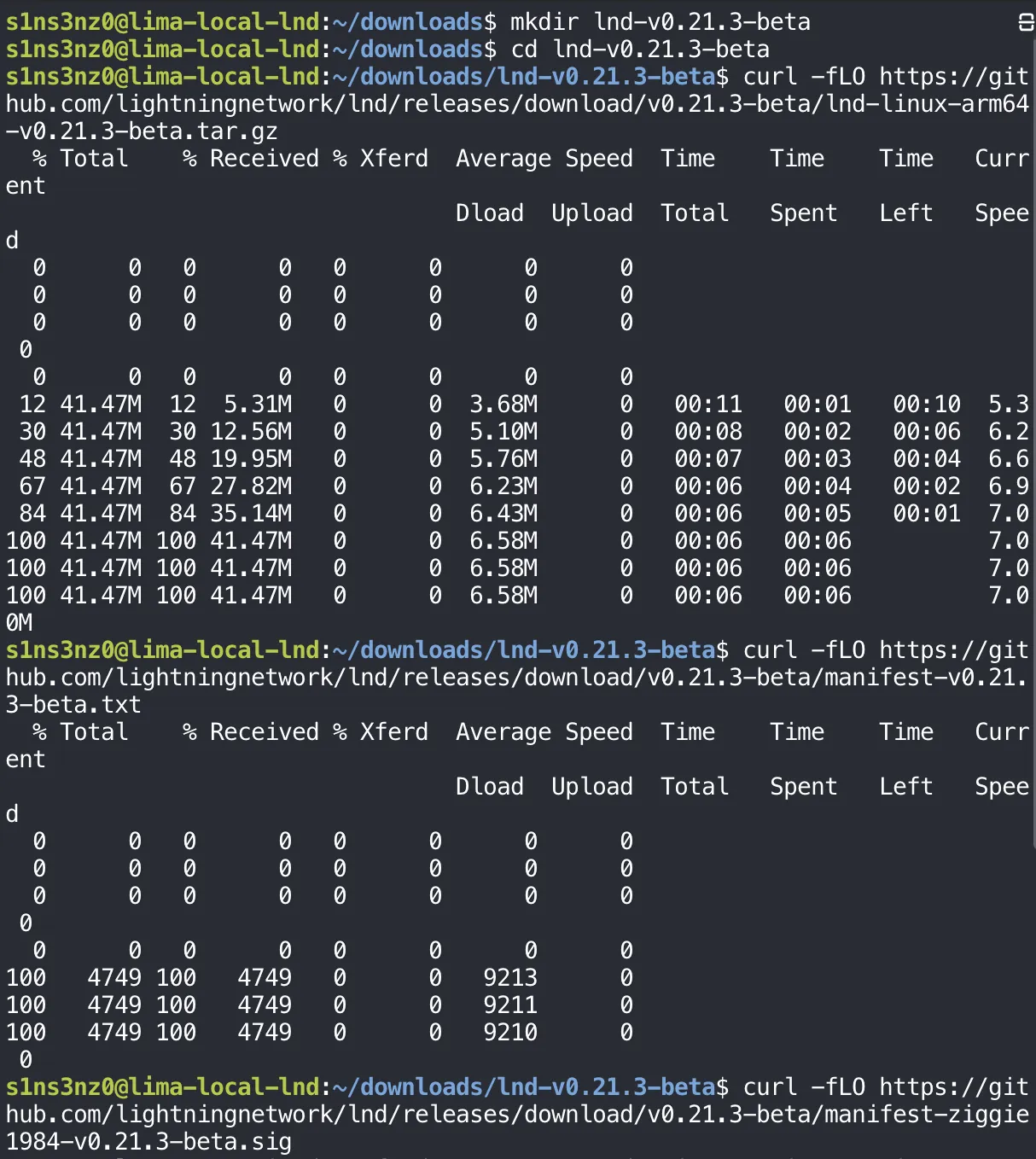
Verifying the signature, then the checksum
The signature here is from ziggie1984, one of the LND maintainers who sign releases. Their public key lives in the LND repository, so I fetched it, checked its fingerprint before importing it, and then verified the manifest and the tarball.
curl -fL -o ziggie1984.asc \
  https://raw.githubusercontent.com/lightningnetwork/lnd/master/scripts/keys/ziggie1984.asc
gpg --show-keys --with-fingerprint ziggie1984.asc
gpg --import ziggie1984.asc
gpg --verify \
  manifest-ziggie1984-v0.21.3-beta.sig \
  manifest-v0.21.3-beta.txt
sha256sum --ignore-missing --check manifest-v0.21.3-beta.txt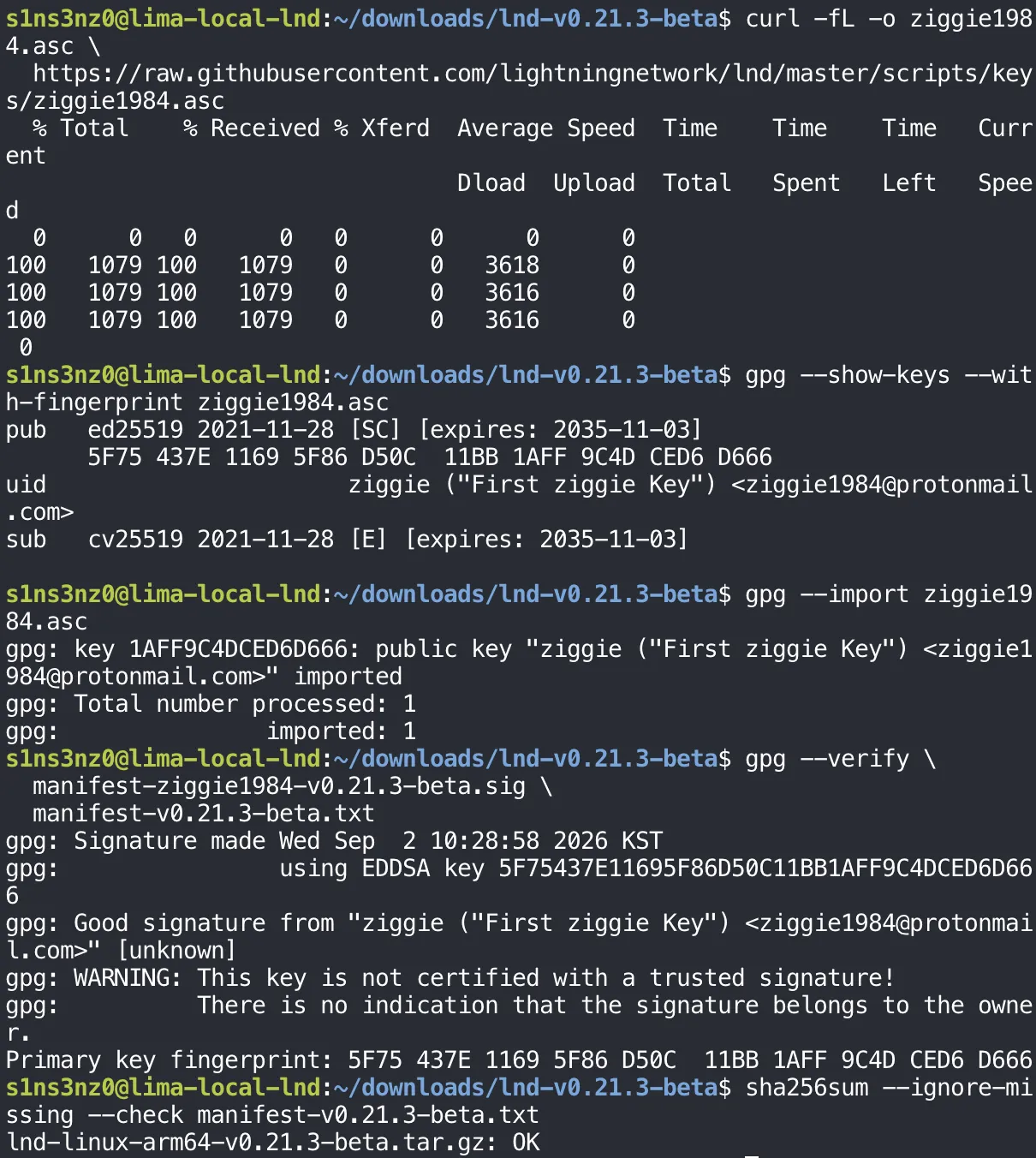
| Step | What it proves |
|---|---|
gpg --show-keys --with-fingerprint | Shows the key’s fingerprint before it touches my keyring, so I can compare it with the one the LND project publishes |
gpg --import | Adds the key to my keyring |
gpg --verify … .sig … .txt | Good signature: the manifest is exactly what ziggie1984 signed. The fingerprint matches the key I inspected |
sha256sum --check manifest… | OK: the tarball matches the hash in that signed manifest |
The order is the reverse of Part 2, and it reads better this way: first prove the list of hashes is authentic, then check the file against it. The WARNING line means the same thing as before: the key is valid, but I haven’t certified it myself, so trust rests on where the key came from.
That’s also the limit of this check. The key and the release both come from GitHub, and only one signer is verified here. Each release usually carries signatures from several maintainers; verifying more than one, the way Part 2 did for Bitcoin Core’s builders, would make a single compromised key or account not enough.
Installing lnd and lncli
With the tarball verified, I extracted it, the same tar -xzf as for Bitcoin Core:
tar -xzf lnd-linux-arm64-v0.21.3-beta.tar.gz
Then the same install into /usr/local/bin, owned by root and read-only to everyone else, and a check that both commands are on the PATH and report the verified version:
sudo install -o root -g root -m 0755 \
  lnd-linux-arm64-v0.21.3-beta/lnd \
  lnd-linux-arm64-v0.21.3-beta/lncli \
  /usr/local/bin/
command -v lnd lncli
lnd --version
lncli --version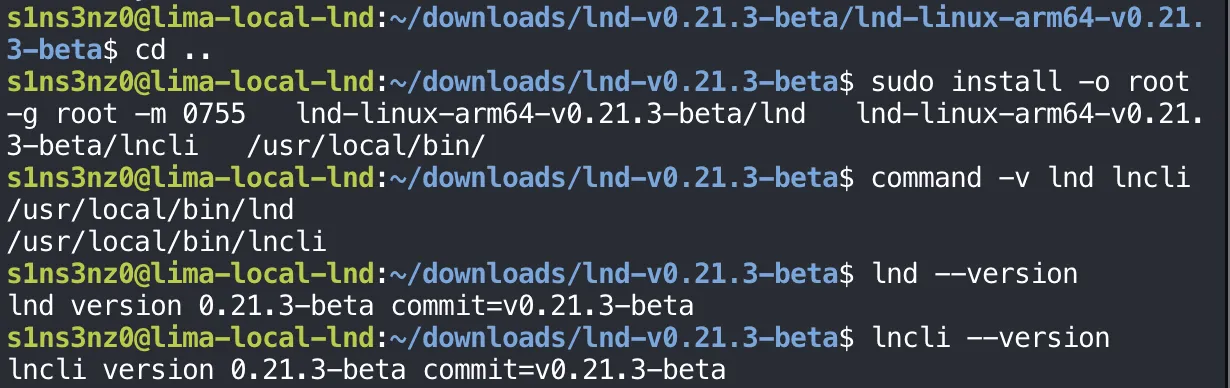
lnd is the node daemon; lncli is its command-line client, the way bitcoin-cli is for bitcoind. command -v now prints a path for each, where it printed nothing in Part 1’s clean-VM check, and both report 0.21.3-beta built from the v0.21.3-beta tag.
Configuring LND
A service user and directories for lnd
lnd gets the same treatment as bitcoind in Part 2: its own system user and group with no login shell, a configuration directory that root owns and lnd can only read, and a data directory only lnd can enter.
sudo useradd --system --user-group \
  --home-dir /var/lib/lnd \
  --no-create-home \
  --shell /usr/sbin/nologin \
  lnd
sudo install -d -o root -g lnd -m 0750 /etc/lnd
sudo install -d -o lnd -g lnd -m 0700 /var/lib/lnd
id lnd
getent passwd lnd
ls -ld /etc/lnd /var/lib/lnd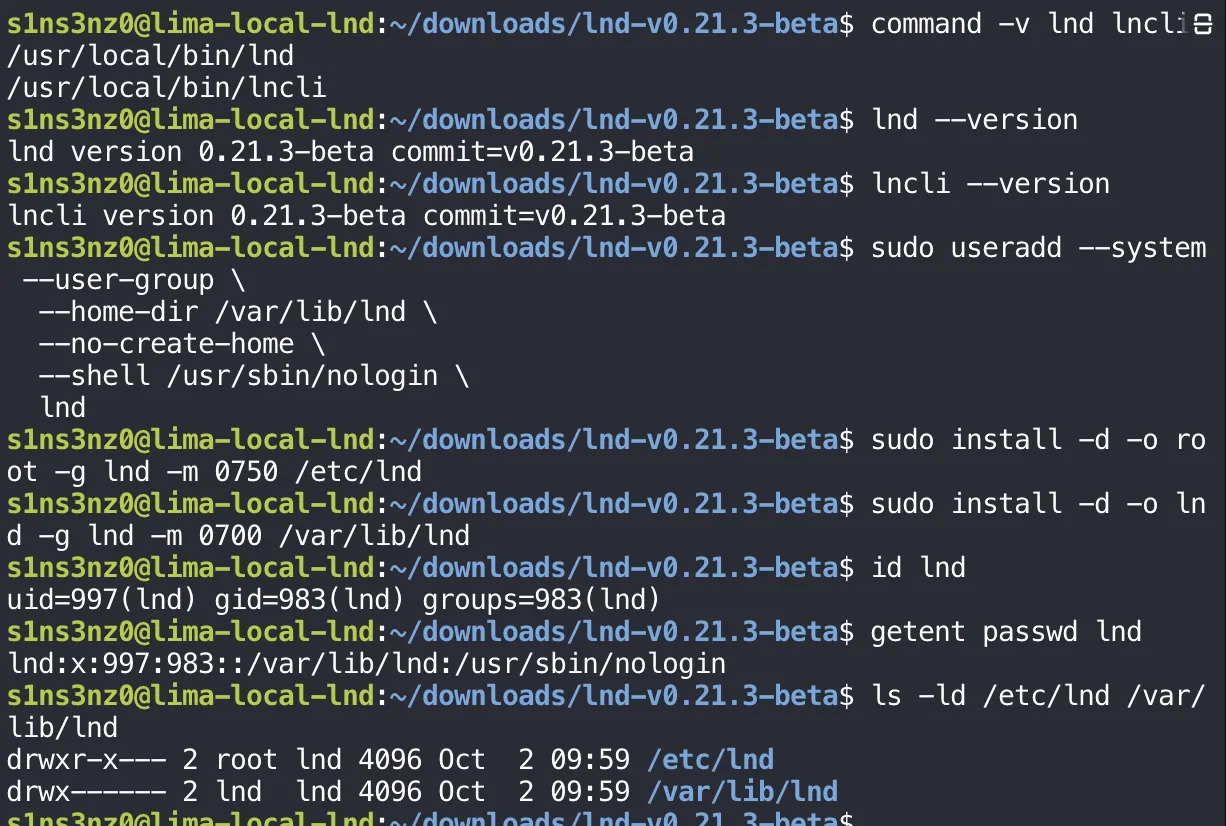
This time the checks are in the screenshot too. getent passwd prints the account’s line from the user database, fields separated by colons:
| Field | Value | Meaning |
|---|---|---|
| Name | lnd | The account |
| Password | x | The password lives in /etc/shadow; a system account has none to log in with |
| UID / GID | 997 / 983 | Numbers from the system range, because of --system |
| Comment | (empty) | No full name, since nobody sits behind this account |
| Home | /var/lib/lnd | The data directory |
| Shell | /usr/sbin/nologin | No interactive login |
id lnd shows that lnd belongs only to its own group. In particular, it isn’t in the bitcoin group, so it can’t read anything inside /var/lib/bitcoind, including the RPC .cookie. That’s deliberate, and it means LND needs its own credentials for bitcoind’s RPC, which comes next.