Part 3 of the series. Part 2 installed Bitcoin Core and gave it its own user, directories, and configuration.
The unit file
This is where systemd takes over the job Kubernetes used to do. A unit file tells systemd how to start bitcoind, as which user, when to restart it, and what it may touch. I wrote it with tee:
sudo tee /etc/systemd/system/bitcoind.service > /dev/null <<'EOF'
[Unit]
Description=Bitcoin Core regtest node
After=network.target

[Service]
Type=simple
User=bitcoin
Group=bitcoin
ExecStart=/usr/local/bin/bitcoind -conf=/etc/bitcoin/bitcoin.conf -datadir=/var/lib/bitcoind
Restart=on-failure
RestartSec=5
TimeoutStopSec=300
UMask=0077
NoNewPrivileges=true
ProtectHome=true
ProtectSystem=full

[Install]
WantedBy=multi-user.target
EOF![Inside the VM: sudo tee /etc/systemd/system/bitcoind.service > /dev/null <<'EOF' with the [Unit], [Service], and [Install] sections of the bitcoind unit](/_astro/bitcoind-service-unit.CeU6vAdC_2r38iF.webp)
sudo tee writes the file as root, which a plain sudo cat > file can’t do because the redirection runs in my own shell. > /dev/null stops tee from echoing the file back. Quoting 'EOF' keeps the shell from expanding anything inside the text.
| Directive | Meaning |
|---|---|
After=network.target | Start after basic networking is up |
Type=simple | The process systemd starts is the service. This pairs with daemon=0 in bitcoin.conf: if bitcoind forked into the background, systemd would lose track of it |
User=bitcoin, Group=bitcoin | Run as the service account, never as root |
ExecStart=… -conf=… -datadir=… | The binary, its read-only configuration, and its data directory, all spelled out instead of relying on defaults under a home directory |
Restart=on-failure, RestartSec=5 | If bitcoind crashes or exits with an error, start it again after 5 seconds. A clean stop stays stopped |
TimeoutStopSec=300 | Give it up to 5 minutes to shut down. bitcoind flushes its databases on exit, and killing it early risks a long reindex |
UMask=0077 | Every file it creates is readable only by bitcoin, including the RPC .cookie |
NoNewPrivileges=true | The process and its children can never gain privileges, for example through a setuid binary |
ProtectHome=true | /home, /root, and /run/user are invisible to it |
ProtectSystem=full | /usr, /boot, /efi, and /etc are read-only to it, so even a compromised bitcoind can’t change its binary or its configuration |
WantedBy=multi-user.target | Once enabled, start it at every normal boot |
Restart=on-failure is the piece that replaces a Kubernetes restart policy, and the last four lines play the role a pod’s securityContext did: they limit what the process can do, enforced by the kernel.
Checking the unit and starting it
Before starting anything, systemd-analyze verify checks the unit file. Then systemd reloads its unit files and starts the service.
sudo systemd-analyze verify /etc/systemd/system/bitcoind.service
sudo systemctl daemon-reload
sudo systemctl start bitcoind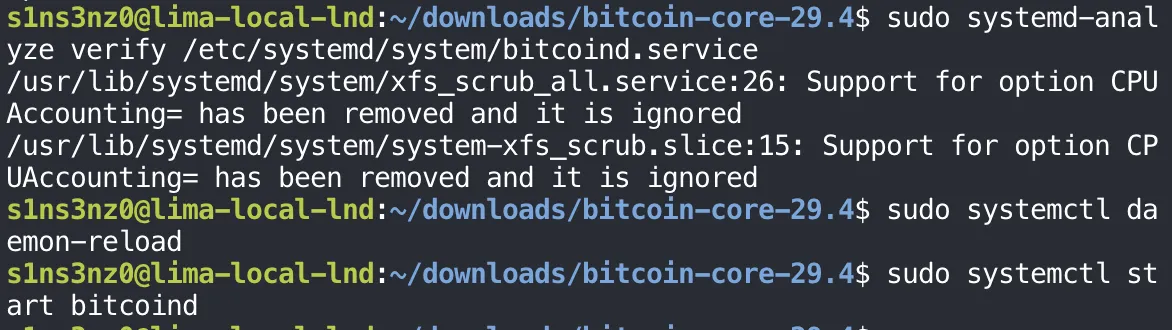
| Command | Meaning |
|---|---|
systemd-analyze verify | Check the unit’s syntax, its dependencies on other units, and that the commands it runs, such as the ExecStart binary, actually exist |
daemon-reload | Make systemd read the unit files from disk again. Without it, systemd only knows the units it loaded at boot (or at the last reload), so a new bitcoind.service doesn’t exist as far as it’s concerned |
start bitcoind | Start the service now |
The two warnings aren’t about bitcoind.service. verify also loads units that ship with Ubuntu, and two of them, for XFS filesystem scrubbing, still use CPUAccounting=, an option newer systemd has dropped. Nothing in my unit was flagged, and both daemon-reload and start returned without output, which means they succeeded.
Checking that it’s running
systemctl status shows whether the service started, how it’s running, and its latest log lines:
sudo systemctl status bitcoind --no-pager -l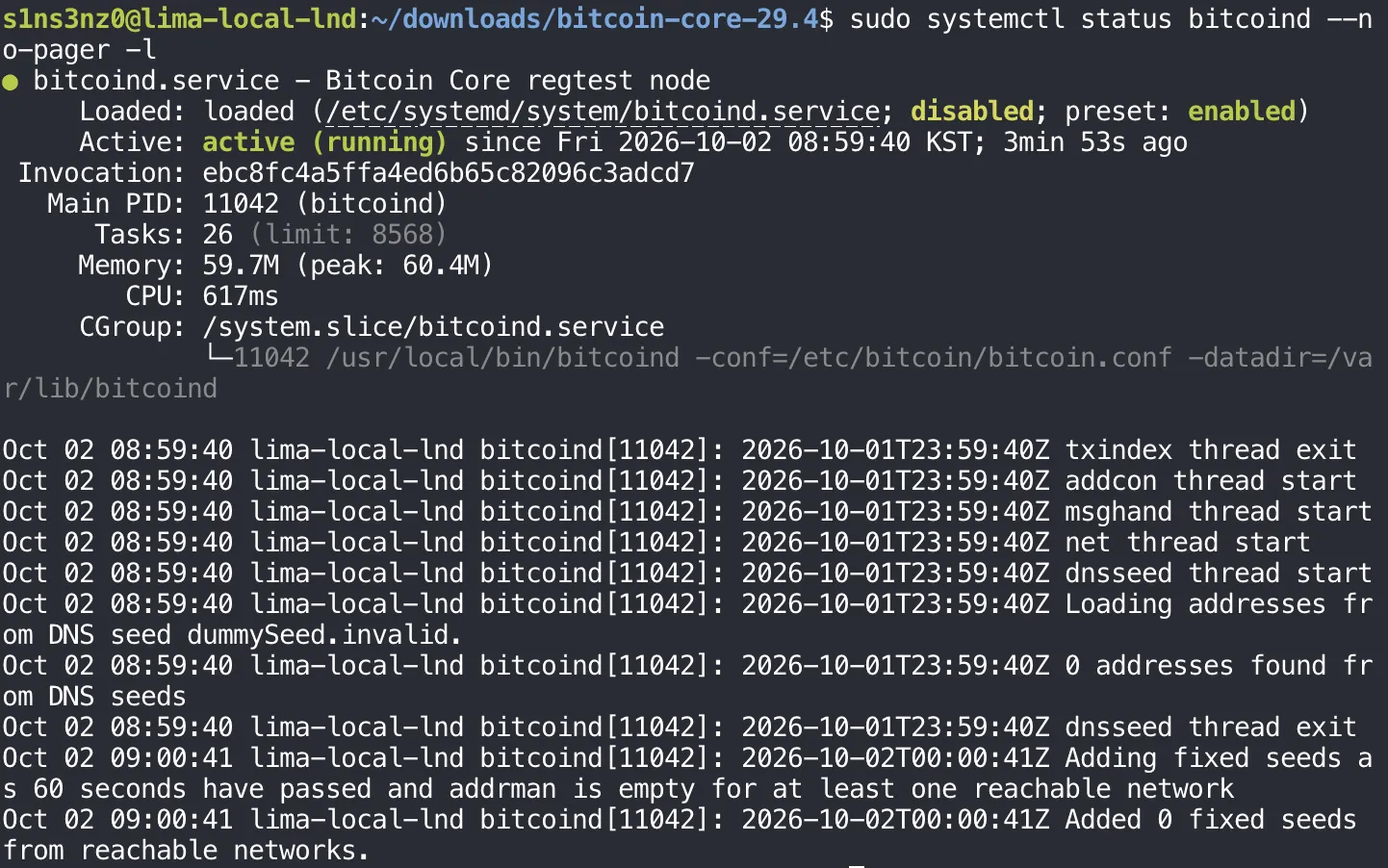
| Line | What it shows |
|---|---|
Active: active (running) | bitcoind started and is still up |
Main PID: 11042 (bitcoind) | systemd is tracking the real process, thanks to Type=simple and daemon=0 |
Tasks, Memory, CPU | What the service is using, counted per service through its cgroup |
CGroup: /system.slice/bitcoind.service | The exact command line, with the configuration and data paths from the unit |
Loaded: …; disabled | The unit isn’t enabled, so it won’t start on its own after a reboot. start runs it once; enable is what wires it to multi-user.target |
--no-pager prints straight to the terminal, and -l stops systemd from cutting long lines short.
The log lines are what an isolated regtest node should say. The worker threads start, the DNS seed lookup goes to dummySeed.invalid and finds nothing because regtest has no seeds, and no fixed seeds are added. With listen=0 and no peers, the node is running on its own, which is what this lab wants. The log carries two clocks: the journal’s local time (KST) at the front, and bitcoind’s own UTC timestamp after it.
Talking to it over RPC
A running process isn’t proof that the node answers. bitcoin-cli asks it over RPC:
sudo -u bitcoin bitcoin-cli -conf=/etc/bitcoin/bitcoin.conf -datadir=/var/lib/bitcoind getblockchaininfo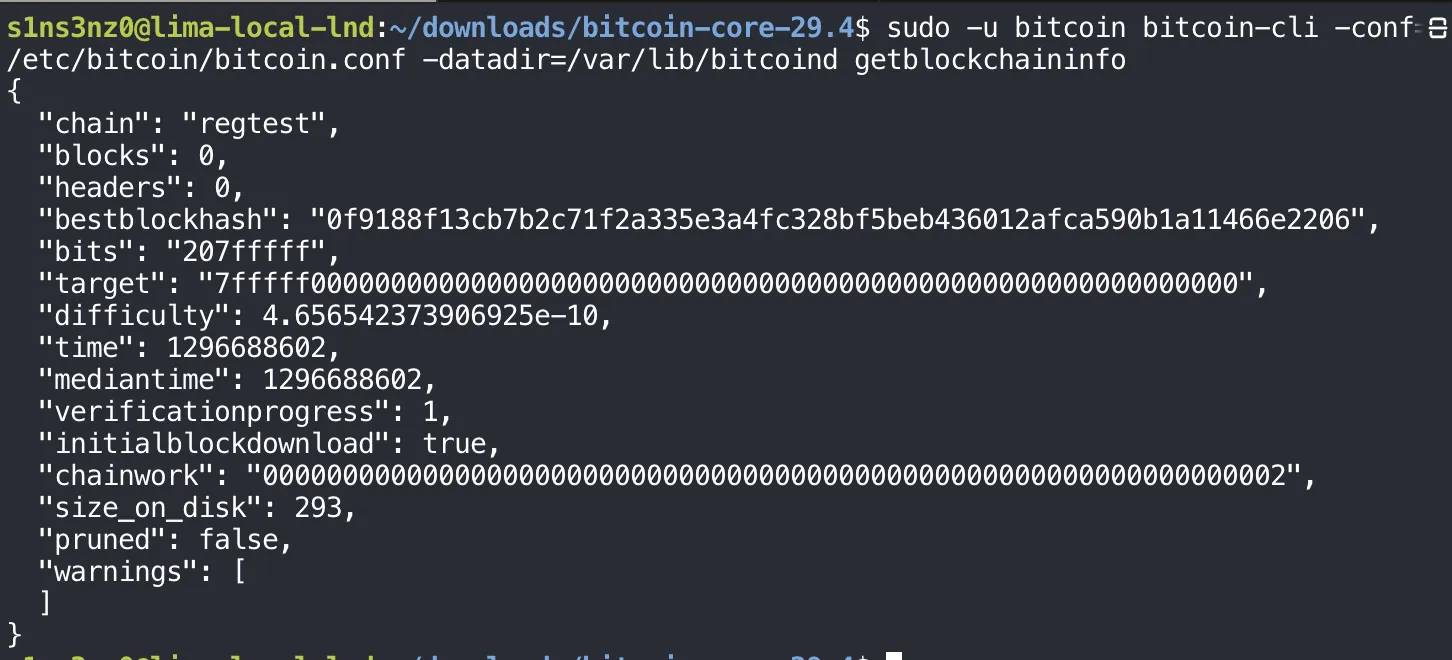
The command runs as bitcoin for the same reason as before: with no rpcuser set, RPC authenticates with the .cookie file in the data directory, and only bitcoin can read it. -conf and -datadir point bitcoin-cli at the same configuration and data directory the service uses, so it finds the regtest RPC port and the cookie.
| Field | Value | Meaning |
|---|---|---|
chain | "regtest" | The network in use: the local test chain I configured |
blocks | 0 | The height of the fully validated active chain. The genesis block sits at height 0, so this doesn’t mean there are no blocks |
headers | 0 | The height of the best validated header chain. It can run ahead of blocks when headers arrive first and the block bodies are still being checked |
bestblockhash | "0f9188…2206" | The hash of the last block on the active chain. Right now that’s the regtest genesis block, the same on every regtest node |
bits | "207fffff" | The proof-of-work target in compact form |
target | "7fffff…0000" | A block’s hash must be at or below this value to count as valid work. The bigger the target, the easier it is to hit |
difficulty | 4.6565…e-10 | How hard mining is relative to the minimum difficulty. On regtest it’s tiny, so blocks can be made on demand |
time | 1296688602 | The Unix timestamp in the last block’s header, here the genesis block’s fixed February 2011 time. Not when the command ran |
mediantime | 1296688602 | The median time of the last 11 blocks, including the tip. With a single block it equals time |
verificationprogress | 1 | An estimate of how much of the chain’s transactions have been verified, from 0 to 1 |
initialblockdownload | true | The node thinks it’s still in initial block download (IBD) |
chainwork | "0000…0002" | The total proof of work accumulated on the active chain, in hex |
size_on_disk | 293 | Estimated size of the block and undo files, in bytes |
pruned | false | Pruning, which deletes old block files to save space, is off |
warnings | [] | No network or blockchain warnings to report |
initialblockdownload looks odd next to verificationprogress: 1, but it follows from time. The node decides it’s caught up only when its tip is recent, and its tip is a block from 2011. Mining the first new block will clear it.
The node is up, reachable over RPC by its own service account, and waiting for its first block.
A shortcut for bitcoin-cli
Typing sudo -u bitcoin, the configuration path, and the data directory before every RPC call gets old fast. A shell function wraps them, the same way lnc wrapped lncli in my Kubernetes posts:
btc() {
  sudo -u bitcoin bitcoin-cli \
    -conf=/etc/bitcoin/bitcoin.conf \
    -datadir=/var/lib/bitcoind \
    "$@"
}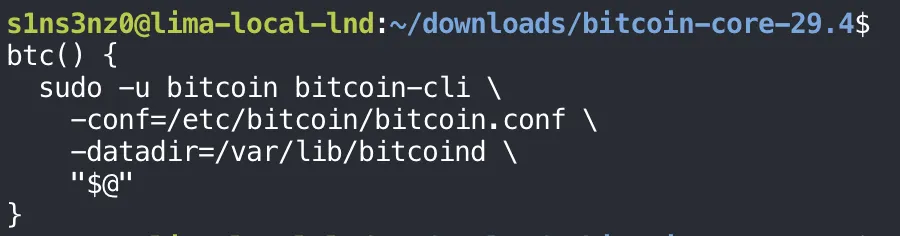
"$@" passes along every argument given to btc, each one kept as a separate word with its quoting intact, so btc getblockchaininfo runs the full command above. A function defined at the prompt lasts only for that shell session; adding it to ~/.bashrc makes it available in every new one.
A miner wallet and the first blocks
On regtest there are no miners but me. I created a wallet called miner, took a new address from it, and mined blocks to that address.
btc -named createwallet wallet_name=miner load_on_startup=true
MINER_ADDRESS=$(btc -rpcwallet=miner getnewaddress)
printf '%s\n' "$MINER_ADDRESS"
btc generatetoaddress 101 "$MINER_ADDRESS"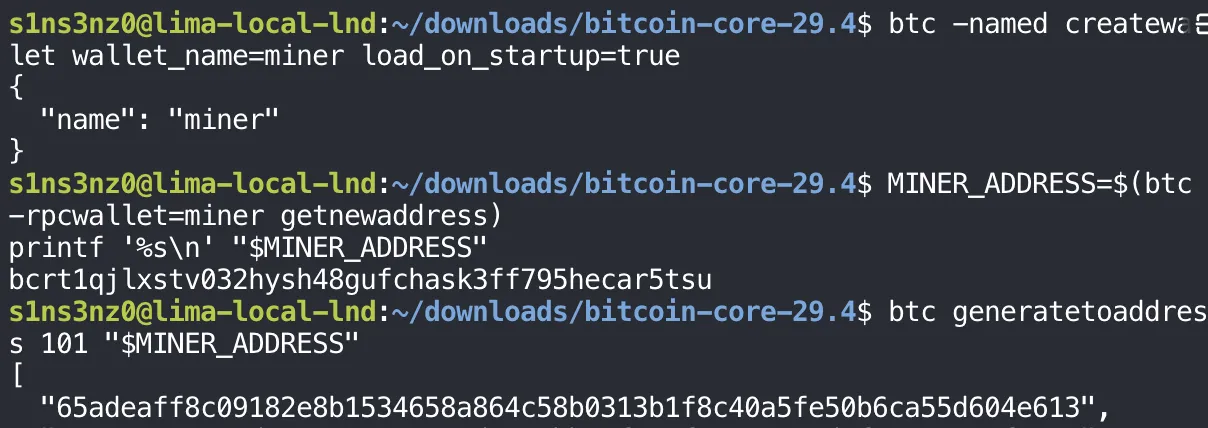
| Command | Meaning |
|---|---|
-named createwallet wallet_name=miner … | Create the wallet. -named passes arguments as name=value instead of by position, which is easier to read |
load_on_startup=true | Load this wallet again whenever bitcoind restarts |
-rpcwallet=miner getnewaddress | Ask the miner wallet for a fresh receiving address |
generatetoaddress 101 … | Mine 101 blocks, each paying its block reward to that address, and print their hashes |
The address starts with bcrt1, the prefix for native SegWit addresses on regtest. Mainnet uses bc1 and testnet tb1, so a regtest address can’t be mistaken for a real one.
Why 101 blocks: a block reward can’t be spent until 100 more blocks are built on top of it. Mining 101 makes the reward from the first block spendable, which is what the miner will use later to fund the Lightning nodes. The wallet’s files live in the data directory, under /var/lib/bitcoind/regtest/wallets/miner, which is one reason that directory is 0700.
Asking the node again, through btc this time, shows what the 101 blocks changed:
btc getblockchaininfo
btc -rpcwallet=miner getbalances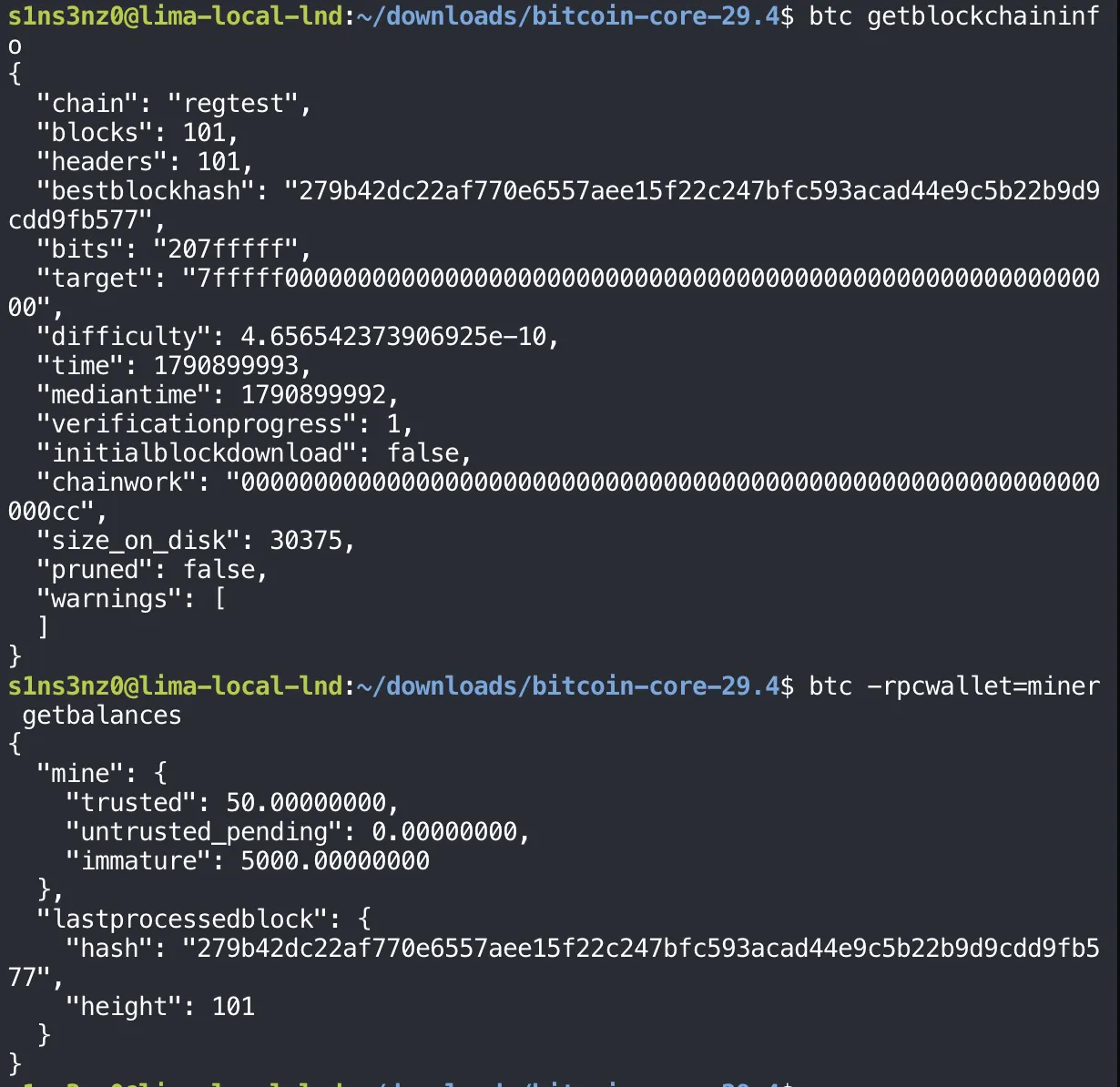
| Field | Before | After | Why |
|---|---|---|---|
blocks, headers | 0 | 101 | The 101 blocks I just mined, on top of genesis |
bestblockhash | 0f9188…2206 | 279b42…b577 | The tip is now the last block I mined |
time | 1296688602 | 1790899993 | The tip carries the current time instead of the 2011 genesis time |
initialblockdownload | true | false | With a recent tip, the node considers itself caught up, as expected above |
chainwork | …0002 | …00cc | 0xcc is 204: each regtest block adds 2 units of work, and there are now 102 blocks counting genesis |
size_on_disk | 293 | 30375 | 101 more blocks on disk, about 30 KB |
The wallet’s balances show the maturity rule from above at work:
| Balance | Amount | Meaning |
|---|---|---|
trusted | 50 BTC | The reward from the first mined block, now buried under 100 more and spendable |
immature | 5,000 BTC | The other 100 rewards, 50 BTC each, still waiting to mature |
lastprocessedblock.height | 101 | The wallet has caught up with the chain tip |
These are regtest coins with no value, but they behave like real ones: 50 BTC is what the miner can actually spend to fund the Lightning nodes.
Surviving a restart
Before LND comes anywhere near this node, the chain has to survive bitcoind going down and coming back. I saved the tip’s hash, restarted the service, and asked again:
BEFORE_RESTART_HASH=$(btc getbestblockhash)
sudo systemctl restart bitcoind
btc -rpcwait -rpcwaittimeout=60 getblockchaininfo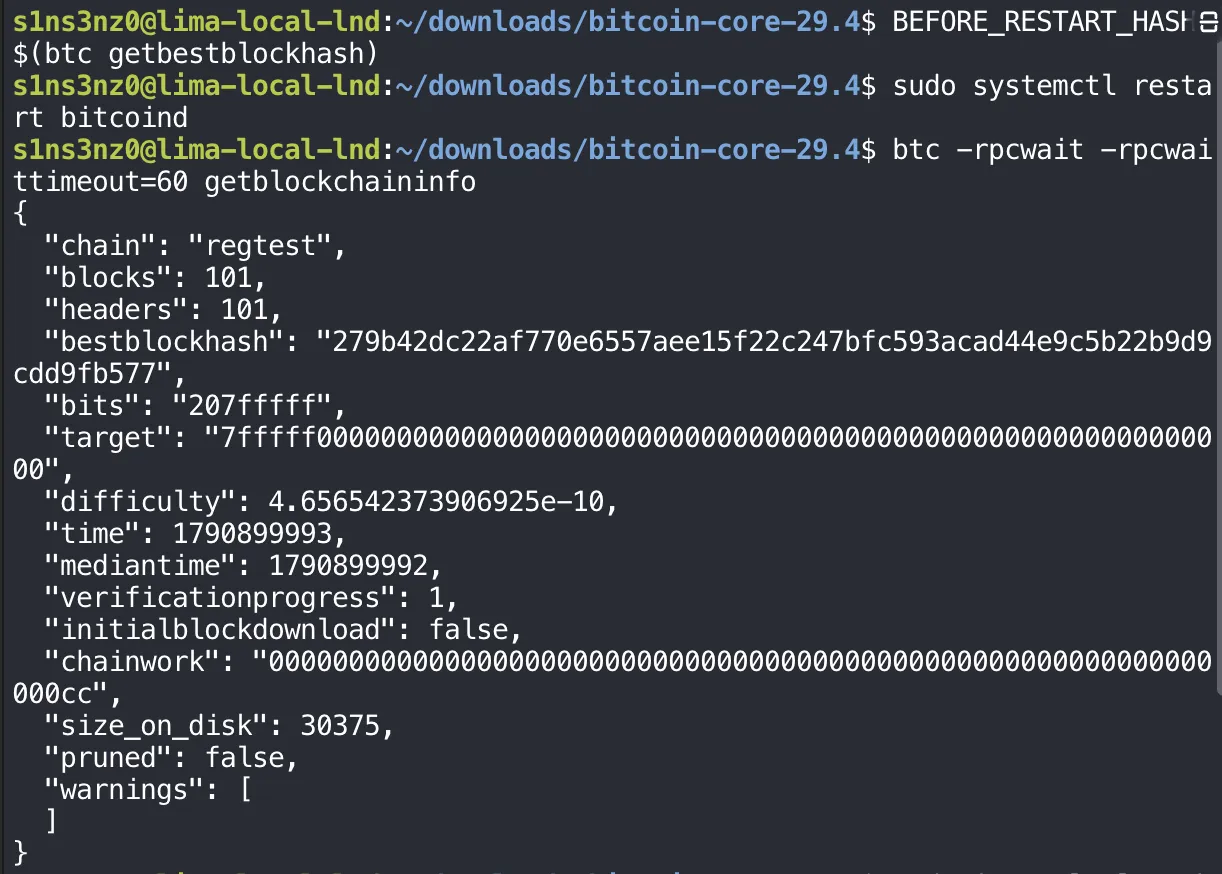
systemctl restart stops bitcoind, which flushes its databases to disk within the TimeoutStopSec window, then starts it again. Right after the restart the RPC server isn’t up yet, so -rpcwait makes bitcoin-cli keep retrying instead of failing at once, and -rpcwaittimeout=60 gives up after a minute.
After the restart, the node reports the same height, 101, and the same tip, 279b42…b577, as before it. initialblockdownload stays false and chainwork and size_on_disk are unchanged. The blocks live in /var/lib/bitcoind, not in the process, so a restart costs nothing. This is the property a PersistentVolume gave my pods, here provided by nothing more than a directory the service owns.
Comparing the saved hash against the tip after the restart, and checking the wallet:
AFTER_RESTART_HASH=$(btc getbestblockhash)
printf 'before: %s\nafter:  %s\n' \
  "$BEFORE_RESTART_HASH" "$AFTER_RESTART_HASH"
btc listwallets
btc -rpcwallet=miner getbalances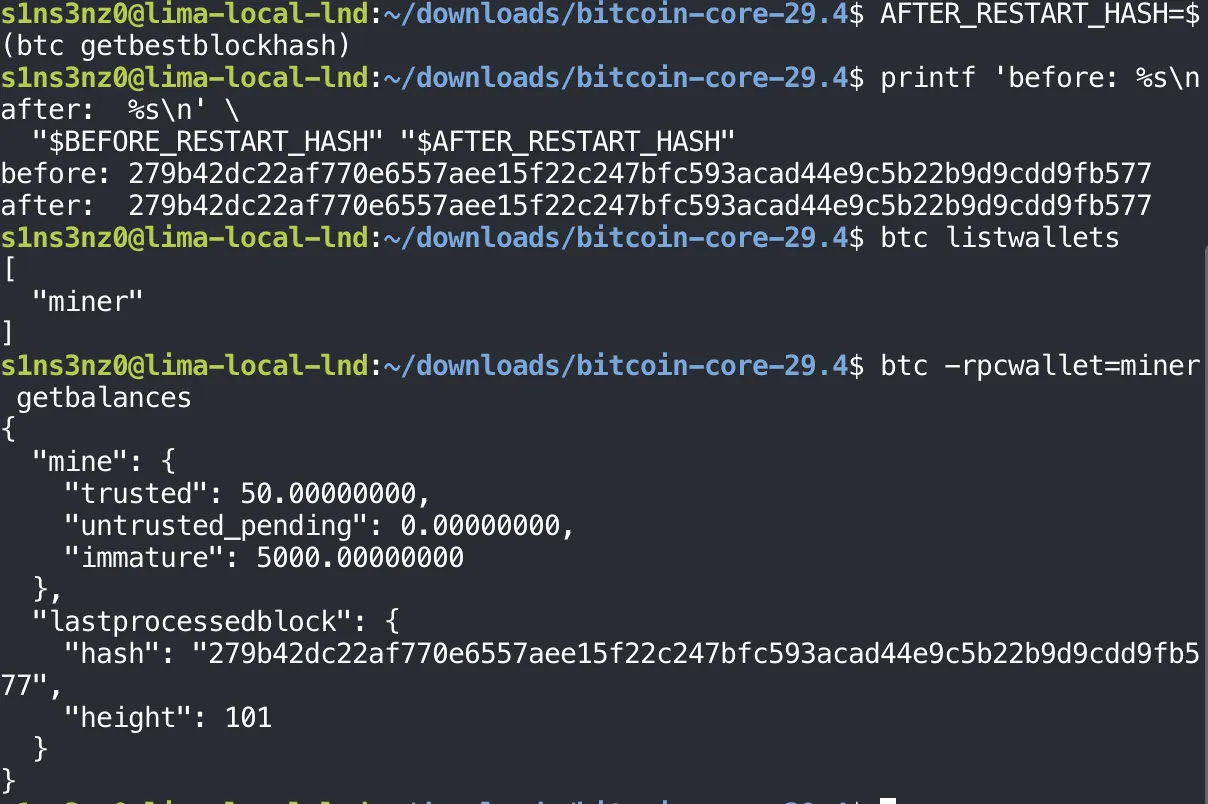
The two hashes are identical, character for character. listwallets shows miner already loaded without my touching it, which is load_on_startup=true doing its job, and the balances match what they were before the restart: 50 BTC spendable, 5,000 BTC immature, synced to height 101.
Starting at boot
Everything so far ran on systemctl start, which starts the service once. With the unit, the RPC, and the restart all checked, I enabled it so it comes up on its own whenever the VM boots:
sudo systemctl enable bitcoind
systemctl is-enabled bitcoind
enable doesn’t start anything. It creates a symlink in multi-user.target.wants/, the directory systemd reads to decide what to start when the system reaches its normal multi-user state at boot. That’s the WantedBy=multi-user.target line from the unit’s [Install] section taking effect. is-enabled now answers enabled, where systemctl status showed disabled earlier.