Part 5 of the series. Part 4 installed LND and gave it its own user and directories.
Everything LND needs is now installed. Before it can run, it has to be able to talk to Bitcoin Core, and Part 4 ended on why that needs work: lnd can’t read bitcoind’s cookie file, by design.
RPC credentials for LND
Generating them with rpcauth
Bitcoin Core ships a small script for this, rpcauth.py, in its repository. It’s short enough to read before running, and it shows exactly how the credential is made:
salt = token_hex(16)
password = token_urlsafe(32)
password_hmac = hmac.new(salt.encode('utf-8'), password.encode('utf-8'), 'SHA256').hexdigest()| Piece | How it’s made |
|---|---|
| Salt | 16 random bytes from Python’s secrets module, written as hex |
| Password | 32 random bytes from secrets, written as URL-safe base64 |
| HMAC | HMAC-SHA256 of the password, keyed with the salt |
The username is the one I pass in. The script prints rpcauth=<user>:<salt>$<hmac> for bitcoin.conf, and the password for the client, here LND. So Bitcoin Core never stores the password in plain text, only the salt and the HMAC: enough to check a password when a client logs in, not enough to recover it from the file. The random salt also means two users with the same password would still get different lines.
I fetched the script from the v29.4 tag, the same version as the installed node, and generated credentials for a user named lnd:
mkdir -p ~/downloads/bitcoin-rpcauth
cd ~/downloads/bitcoin-rpcauth
curl -fL -o rpcauth.py \
  https://raw.githubusercontent.com/bitcoin/bitcoin/v29.4/share/rpcauth/rpcauth.py
python3 rpcauth.py lnd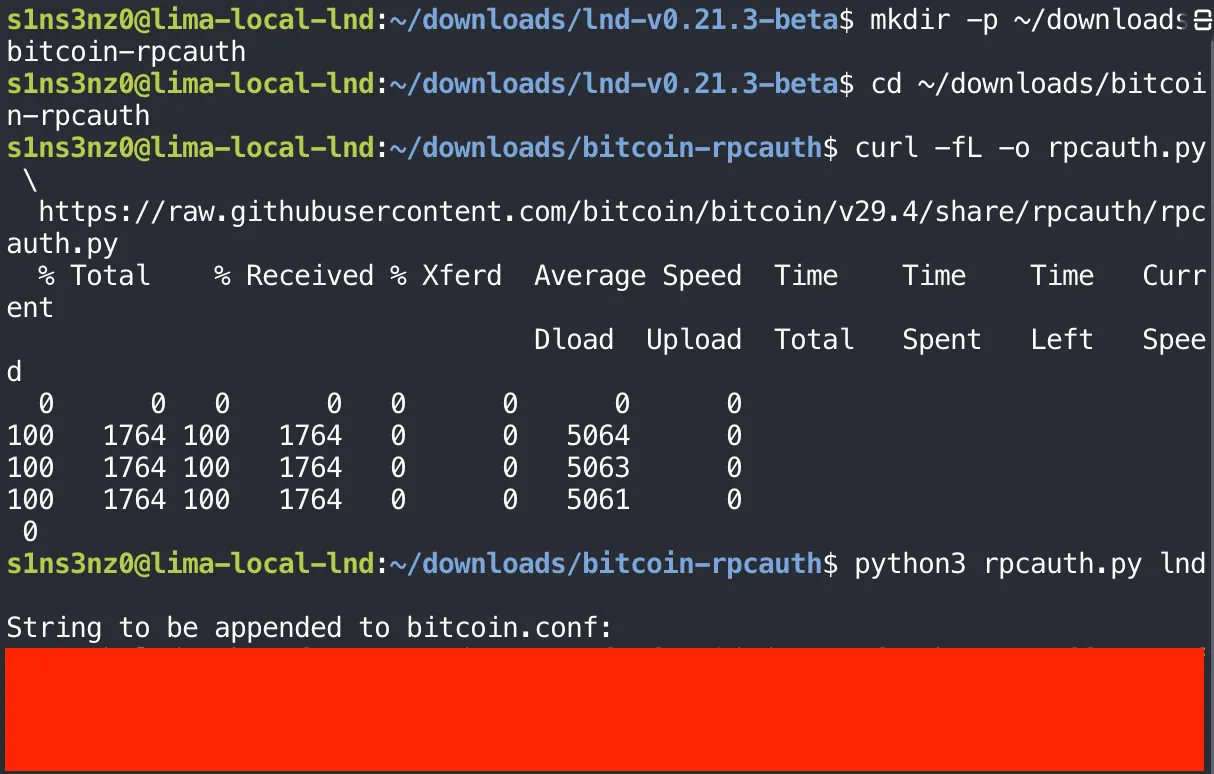
The generated rpcauth= line and password are covered.
The script prints two things:
| Output | Where it goes | Who can read it |
|---|---|---|
rpcauth=lnd:<salt>$<hash> | bitcoin.conf, so bitcoind can check the password | root and the bitcoin group, through the 0640 file from Part 2 |
| The password | LND’s configuration, so it can log in | root and the lnd group, once LND’s configuration exists |
The password is printed once and isn’t stored anywhere else, so I copied it straight to a safe place. It shouldn’t stay in the shell history or a notes file in my home directory.
Adding the rpcauth line to bitcoin.conf
The rpcauth=lnd:… line goes into /etc/bitcoin/bitcoin.conf. I put it with the general settings, above the [regtest] section:
sudo cat /etc/bitcoin/bitcoin.conf![sudo cat /etc/bitcoin/bitcoin.conf: regtest=1, server=1, daemon=0, printtoconsole=1, txindex=1, listen=0, then rpcauth=lnd: followed by the covered salt and HMAC, then the [regtest] section with rpcbind=127.0.0.1, rpcallowip=127.0.0.1, rpcport=18443](/_astro/bitcoin-conf-rpcauth.CRNvqmtS_2aJYXw.webp)
The salt and HMAC are covered. They can’t be turned back into the password, but there’s no reason to publish them either.
A line above [regtest] applies to every network, and rpcauth is one of the options Bitcoin Core accepts there; options tied to a specific network, like rpcport and rpcbind, are the ones that have to sit inside the section. The file keeps the owner and mode set in Part 2, root:bitcoin and 0640, so editing it doesn’t open it up to anyone else.
Two ways into bitcoind’s RPC
With rpcauth added, Bitcoin Core accepts two kinds of RPC login, and this lab uses both.
The first is the cookie I’ve been using since Part 3. Every time bitcoind starts, it writes a fresh random credential to .cookie in its data directory, here /var/lib/bitcoind/regtest/.cookie:
sudo cat /var/lib/bitcoind/regtest/.cookie
sudo -u bitcoin bitcoin-cli \
  -conf=/etc/bitcoin/bitcoin.conf \
  -datadir=/var/lib/bitcoind \
  getblockchaininfo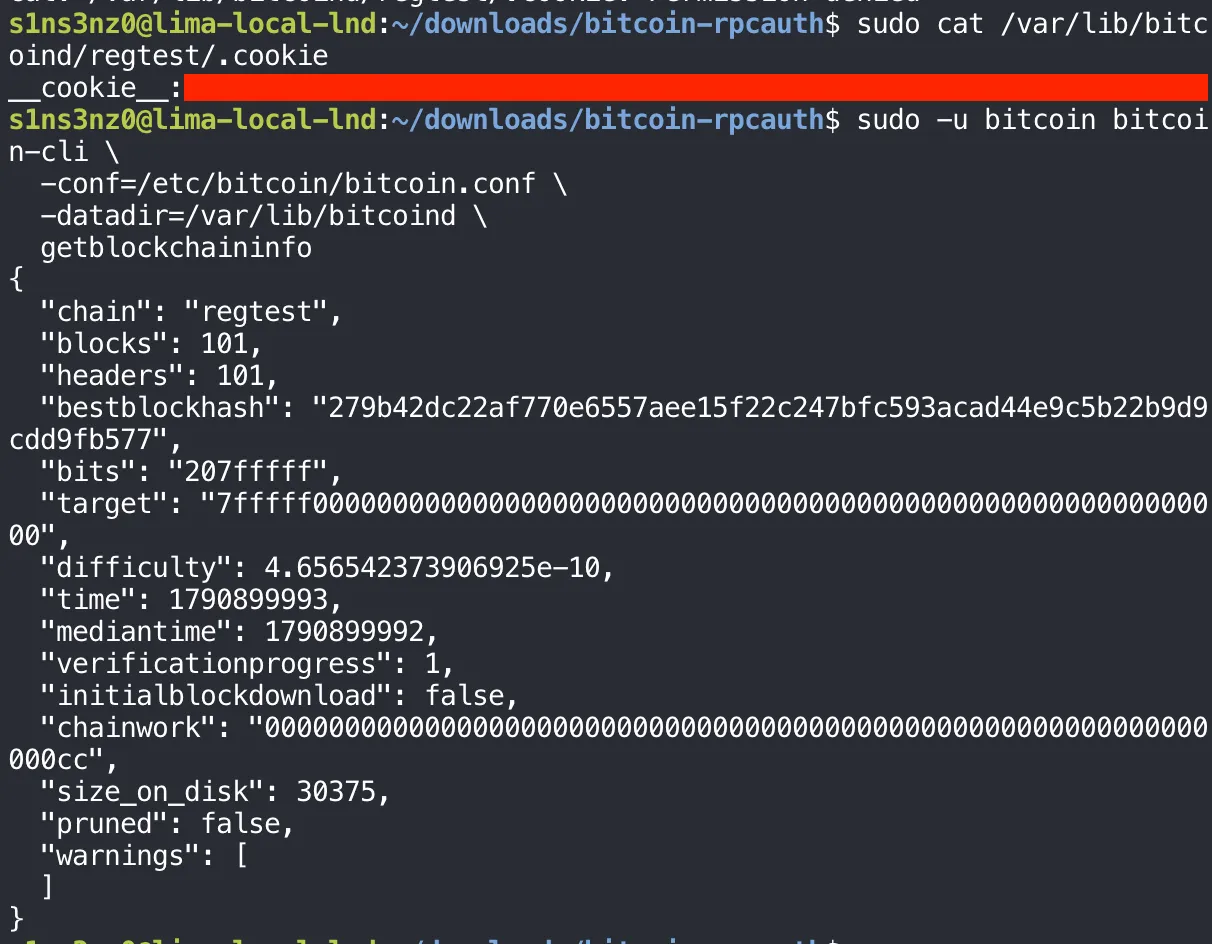
The cookie’s secret is covered.
The file holds __cookie__: and a random secret, a username and password in one line. bitcoin-cli finds it through -datadir and logs in with it, which is why the btc function never needed a password. Reading it as my own user fails with Permission denied, the line cut off at the top of the screenshot: the data directory is 0700 and belongs to bitcoin.
| Cookie | rpcauth | |
|---|---|---|
| Credential | Random, rewritten at every bitcoind start | Fixed until I generate a new one |
Stored by bitcoind | The secret itself, in .cookie | Only the salt and HMAC, in bitcoin.conf |
| Who can use it | Anyone who can read the data directory: here, only bitcoin (and root) | Anyone who knows the password |
| Used by | bitcoin-cli through the btc function | LND, running as lnd |
The cookie suits a client running as the same account, and it changes on every restart, which a long-running separate service like LND can’t keep up with without reading the file each time. rpcauth gives LND a stable login of its own while lnd stays out of bitcoind’s files.
Logging in as lnd with rpcauth
The real test is logging in the way LND will: as the lnd user, with the rpcauth password, and without any access to bitcoind’s files. Typing the password into the command line would leave it in the shell history and in the process list, so I read it into a shell variable first and passed it on standard input:
read -r -s -p 'LND RPC password: ' LND_RPC_PASSWORD
printf '%s\n' "$LND_RPC_PASSWORD" |
  sudo -u lnd bitcoin-cli \
    -conf=/dev/null \
    -datadir=/var/lib/lnd \
    -regtest \
    -rpcconnect=127.0.0.1 \
    -rpcport=18443 \
    -rpcuser=lnd \
    -stdinrpcpass \
    getblockchaininfo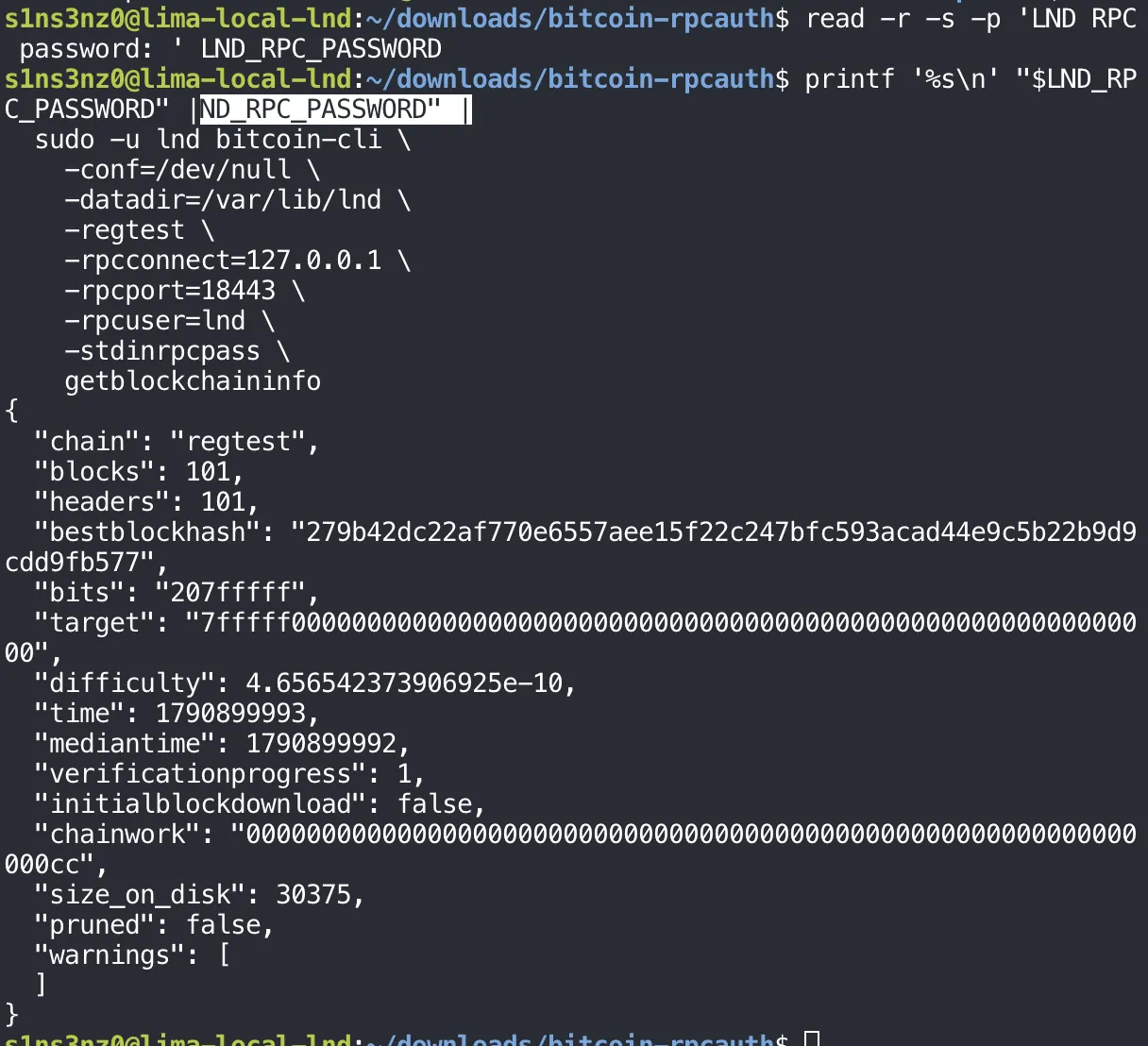
| Part | Why |
|---|---|
read -r -s -p '…' LND_RPC_PASSWORD | Prompt for the password without echoing it (-s), keep backslashes as typed (-r), and store it in a shell variable. It isn’t exported, so it stays in this shell and never enters other programs’ environments |
printf '%s\n' "$LND_RPC_PASSWORD" | | Hand the password to the next command on standard input. printf is a shell builtin, so the password never shows up as a command-line argument in ps |
sudo -u lnd | Run as the account LND will use |
-conf=/dev/null | Read no configuration file; lnd can’t read bitcoin.conf anyway |
-datadir=/var/lib/lnd | LND’s own directory, which has no .cookie, so cookie login is impossible |
-regtest -rpcconnect=127.0.0.1 -rpcport=18443 | Where bitcoind’s RPC listens, spelled out since there’s no config to read it from |
-rpcuser=lnd -stdinrpcpass | Log in as lnd with the password from standard input |
getblockchaininfo came back with the same chain as before: regtest, height 101, the same tip. Since the cookie was out of reach, the only way that could work is the rpcauth credential. LND’s RPC login is ready.
ZMQ notifications
Why LND needs them
RPC is request and response: LND asks, bitcoind answers. That’s fine for lookups, but LND also has to know the moment a new block or transaction appears, to confirm channels and catch a peer cheating. Asking over and over would be slow and wasteful.
ZeroMQ (ZMQ) is a messaging library that lets one program publish a stream of messages and others subscribe to it. Bitcoin Core can publish to ZMQ sockets, and LND’s bitcoind backend requires two of them:
sudo cat /etc/bitcoin/bitcoin.conf | grep zmq
| Setting | What bitcoind publishes |
|---|---|
zmqpubrawblock=tcp://127.0.0.1:28332 | Every new block, in full, as soon as it’s connected to the chain |
zmqpubrawtx=tcp://127.0.0.1:28333 | Every transaction entering its mempool, and those in new blocks |
Bitcoin Core is the publisher and LND is the subscriber. Each side has its ZMQ component built in, bitcoind’s publisher and LND’s subscriber, and those handle the connection and the message traffic on their own. Beyond these two lines here and the matching addresses in LND’s configuration later, there’s nothing to set up, no broker or extra service to run.
ZMQ is also a separate path from RPC. The rpcauth login above covers RPC only; the ZMQ sockets don’t use it and have no login of their own. What keeps them private is where they listen: both are on 127.0.0.1, like RPC, so nothing outside the VM can subscribe.
Restarting and checking the sockets
bitcoind reads its configuration only at startup, so the new lines take effect after a restart. getzmqnotifications then lists the sockets it’s actually publishing on:
sudo systemctl restart bitcoind
sudo -u bitcoin bitcoin-cli \
  -conf=/etc/bitcoin/bitcoin.conf \
  -datadir=/var/lib/bitcoind \
  -rpcwait -rpcwaittimeout=60 \
  getzmqnotifications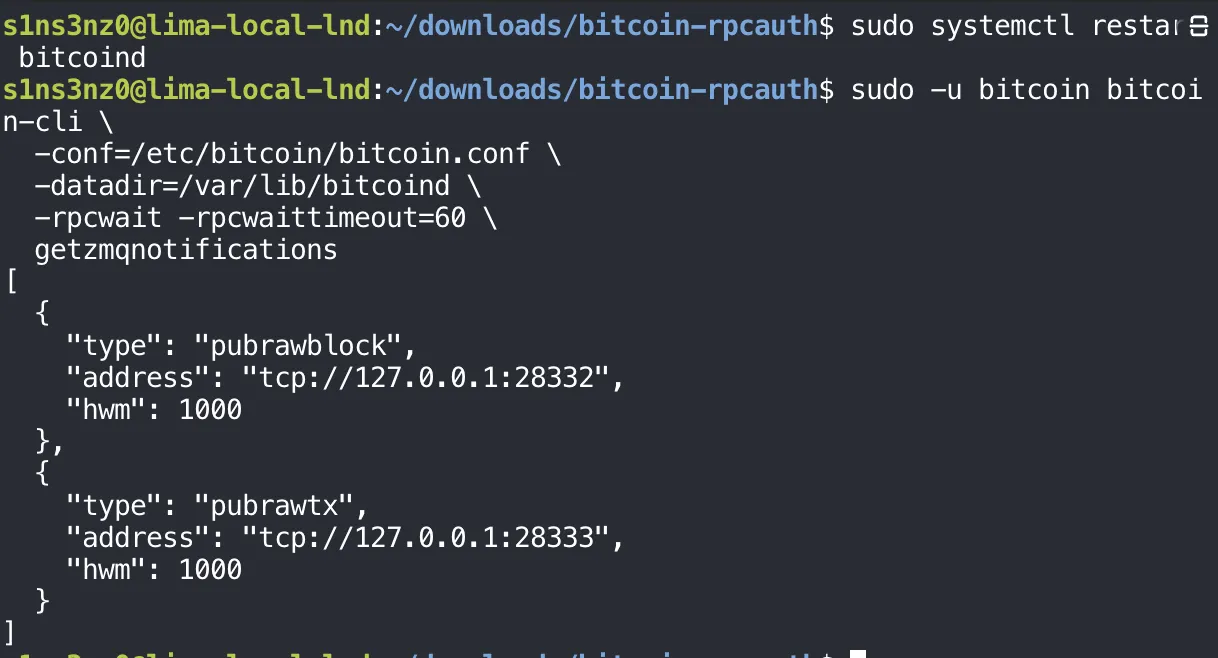
Both sockets are there, at the addresses from the configuration. -rpcwait covers the few seconds after the restart before RPC is back, as in Part 3.
hwm is the high-water mark: up to 1,000 messages can queue for a subscriber that falls behind. Past that, ZMQ drops new messages instead of letting memory grow. On a quiet regtest chain with a local subscriber, that limit won’t come close.
getzmqnotifications is bitcoind’s own account of its sockets. ss asks the kernel instead, which shows what is really listening and on which address:
sudo ss -lntp '( sport = :28332 or sport = :28333 )'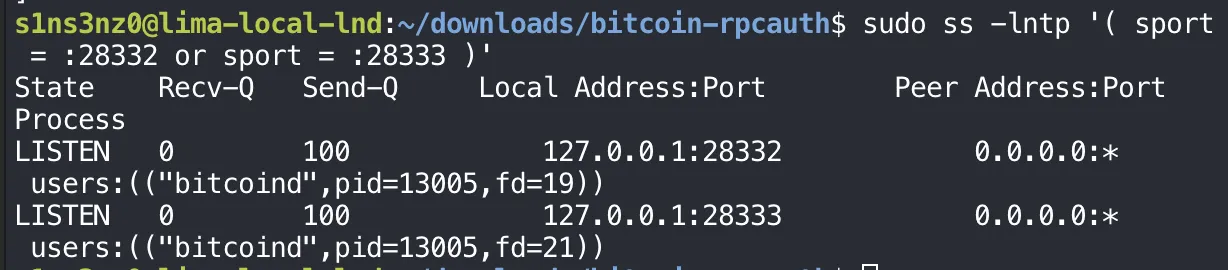
| Flag or field | Meaning |
|---|---|
-l | Only listening sockets |
-n | Show numeric addresses and ports instead of resolving names |
-t | TCP only |
-p | Show the owning process; this needs sudo because the process belongs to bitcoin |
'( sport = :28332 or sport = :28333 )' | Filter on the local (source) port, so only the two ZMQ sockets appear |
127.0.0.1:28332, 127.0.0.1:28333 | Bound to loopback only. A socket open to the network would show 0.0.0.0 or the VM’s own address here |
users:(("bitcoind",pid=13005,…)) | Both sockets belong to the running bitcoind |
The kernel agrees with bitcoind: both ZMQ sockets exist, both belong to bitcoind, and both accept connections only from inside the VM. That loopback binding is the only protection ZMQ has here, and this is the check that confirms it.
With the RPC login and both ZMQ feeds in place, bitcoind is ready for LND.